
Add an AI chatbot to WordPress in about five minutes.
No heavy WordPress chatbot plugin to update, no theme edits. Paste one line into a free header and footer plugin, and your bot answers visitors on every page, trained on your own site and ready to book appointments and capture leads.
No card. Your private demo link arrives within 1 business day.
Three steps, no developer
Build or pick your bot
Start from one of 16 templates or a blank canvas, then train the AI on your WordPress pages so it answers like your business.
Paste one line of code
Install a header and footer plugin such as WPCode, open Header & Footer, and paste your bot's snippet into the Footer box. Save.
Clear your cache
Purge WP Rocket, LiteSpeed or W3 Total Cache and reload. The chat bubble appears on every page. Want it inline on one page? Use a Custom HTML block.
<script async src="https://app.botstudio.us/w/chat_plugin.js" data-bot-id="12345"></script>Your snippet has your own bot ID. Full walkthrough in the install guide.
One script beats another plugin
Nothing to update
Most WordPress chatbot plugins add settings pages, database tables and update notices. BotStudio runs from one script, and every improvement reaches your site automatically.
Light on page speed
The widget loads in the background and shows its first message in about a quarter second, so it stays out of the way of your Core Web Vitals.
Works with any theme or builder
Astra, Kadence, GeneratePress, Divi, Elementor, Bricks or the block editor. If WordPress outputs a footer, the bot shows up.
What your WordPress chatbot can do
- Answer questions from your pages, posts and documents
- Ask qualifying questions with buttons and branches
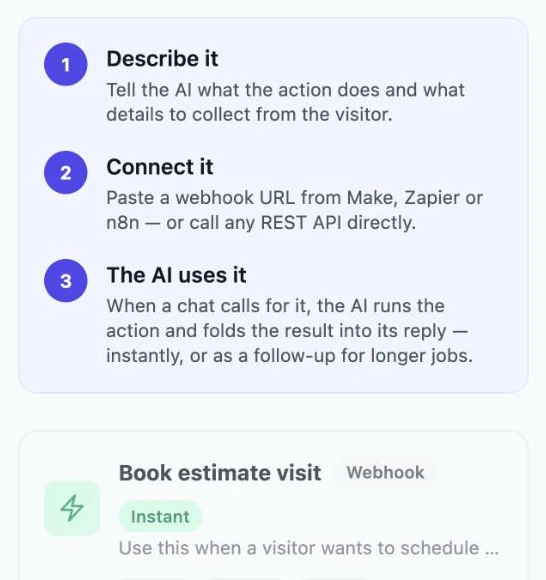
- Book appointments with AI Actions or your booking link
- Send leads to your inbox, Google Sheets or CRM
- Track the page, UTM and ad click behind every lead
- Block spam and prompt-injection attempts
Straight answers
Is BotStudio a WordPress plugin?
No, and that's on purpose. It installs with one script tag through any header and footer plugin, such as WPCode, so there is no extra plugin to update or conflict with your theme.
My chatbot isn't showing on WordPress. What do I check?
Clear your caching plugin first. If it still hides, your speed plugin is probably delaying or combining JavaScript. Exclude app.botstudio.us from delay and combine settings. The troubleshooting guide covers WP Rocket, LiteSpeed and others.
Can it learn from my WordPress content?
Yes. Train the AI on your pages, posts and PDFs, and it answers from them. Retrain whenever your content changes.
Does it work with WooCommerce?
Yes for answering product, shipping and return questions from your site content, and the Online Store Order Help template covers common store questions. Live order lookups need an AI Action connected to your store.
What does it cost?
From $29 a month, flat. No per-answer fees and no overage charges. Branding removal starts on Advanced at $79.
See your WordPress chatbot before you install anything.
We build a free demo trained on your site. No card.
Build my free demo